How it works
Connect data. Qualify with rules. Act with an explanation.
The killer workflow is unchanged: connect → define ICP → analyze → recommend → convert → CRM. Everything else is secondary until this is excellent.
- 1
Connect
Attach your CRM. Pro and Enterprise include both Apollo and Hunter in the fee — you do not pick one. Starter and Growth paste their own keys. Each provider stays in its own connector.
- 2
Describe the ICP
Write it in sentences. Pravadh turns that into weights you can still edit. The same plain-English approach powers Finder, so sourcing new accounts uses the same muscle as scoring the ones you already have.
- 3
Capture leads
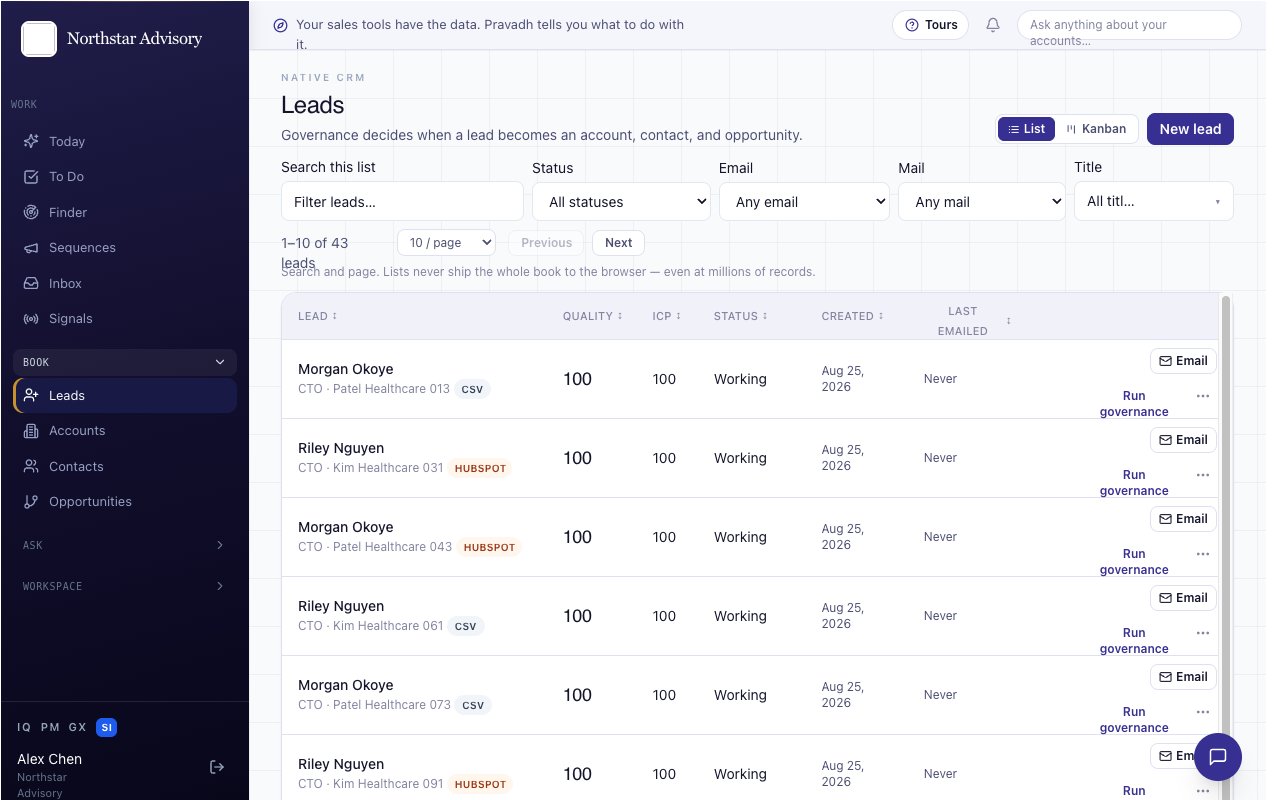
Create them in Pravadh SI, by hand, from a Finder search, or from a CSV import. Quality and ICP scores are explained, not hidden.
- 4
Govern
A rule decides when a lead is qualified. Optionally run your LLM as a second quality gate.
- 5
Convert
Qualified leads become a unified account, contact, and opportunity. Duplicates merge without deleting source rows.
- 6
Act and write back
Reach out over email, SMS, WhatsApp, voice, or LinkedIn — tracked automatically. If Salesforce, HubSpot, or Zoho is connected, the official API receives a copy. The analyst briefing still lives here.